Flutter Navbar
A Flutter Navbar is a navigation header that is placed at the top of the page.
Used it as an Appbar throught the app.
Example:
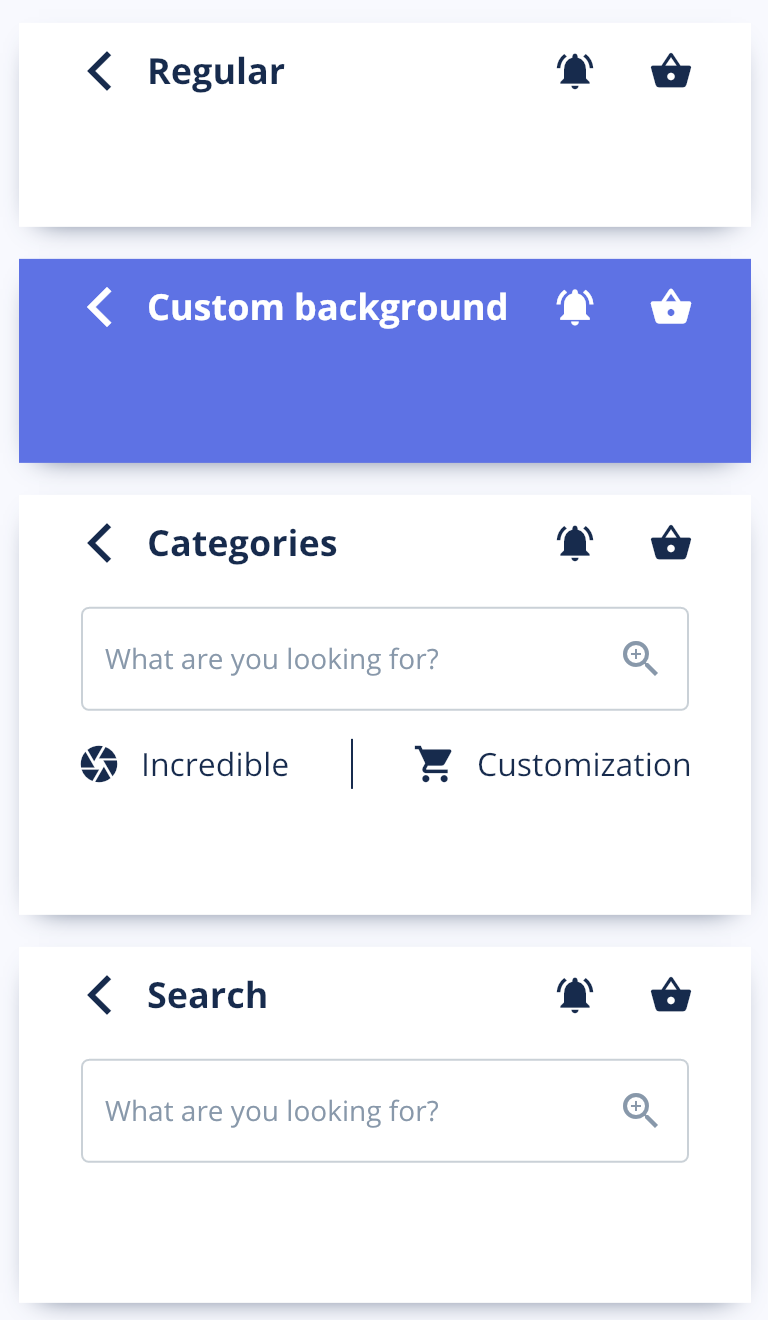
return Scaffold(
  appbar: Navbar(
    title: "Profile",
    transparent: true,
  ),
  body: Container();
)
Parameters
You can always hover with your mouse on any object and see its types and parameters.
| Parameter | Type | Default | Description |
|---|---|---|---|
| title | String | “Home” | Usually the title of the screen. |
| categoryOne | String | ”” | One of the categories you could have in this navbar. |
| categoryTwo | String | ”” | One of the categories you could have in this navbar. |
| searchBar | bool | false | This enables the searchBar for our navbar. |
| backButton | bool | false | This enables the back button. |
| transparent | bool | false | This makes the appbar transparent. |
| rightOptions | bool | true | This enables the icons placed on the right to the title. |
| tags | List |
This enables and receives the list for the tags you can see in the Beauty or Fashion screens. | |
| getCurrentPage | Function | You should use this when you want to know which of the tags is pressed. | |
| isOnSearch | bool | false | This is used to tell the navbar if you’re already on the Search screen. |
| searchController | TextEditingController | ||
| searchOnChanged | Function | Function that gets called when something changes inside the input’s state. | |
| searchAutofocus | bool | false | Enables autofocus for the input. |
| noShadow | bool | false | Removes shadow from navbar. |
| bgColor | Color | ArgonColors.white | Changes the navbar’s background color. |